PillReminder reminds you to take your contraception (pill/patch/ring) at the desired time every day, stopping reminders automatically on the pause period (contraception type specific) and rescheduling automatically when the next period starts.
Features:
- Configurable daily reminder time with timezone support and on/off switch
- Different pill/patch/ring type templates
- NuvaRing and Ortho Evra support
- Custom pill/patch/ring type support
- Snooze reminders
- Changeable pill cycle start date
- Custom notification message
- Configurable automatic snooze interval
- Log: shows you when and what contraception you have taken
- Google Backup Service (>= Android 2.2)
- Possibility to take the contraception sooner (within the actual day)
- Supports portrait and landscape mode
- Themes
- Android 4.0 Ice Cream Sandwich Support
Permission description:
- VIBRATE => for notification
- RECEIVE_BOOT_COMPLETED => to schedule notifications
- WAKE_LOCK => for notification
- DISABLE_KEYGUARD => disable lockscreen during notification (configurable)
Found issues to be fixed soon:
- None
If someone has problems with the timezone contact me via mail for better support/troubleshooting.
Attention: If you use a task manager / killer and you are on Android pre-2.2, please add PillReminder to the esclude / ignore list.
Requirements: Android 1.6+
Overview: PillReminder reminds you to take your contraception (pill/patch/ring) at the desired time every day, stopping reminders automatically on the pause period (contraception type specific) and rescheduling automatically when the next period starts.
Take full control over your external Bluetooth or USB keyboard.
PLEASE DO NOT USE THE RATING SYSTEM TO REPORT BUGS!
INSTEAD CONTACT ME ON: keylayouts@apedroid.com
A non visible soft keyboard (Input Method) intended to be used with hardware Bluetooth and USB keyboards. It automaticly brings up the Input Method dialog when Bluetooth keyboard connects or disconnects (on some devices this can also be made to work with USB keyboards). It supports a lot of different keylayouts for non-US external keyboards and also provides a lot of configuration options.
This app does NOT require a rooted device and there is a DEMO version available if you want to try it out before buying.
Features
--------------------
* International keyboard layouts.
* Up to 16 application shortcuts can be added (for example start Google Maps with Alt+M etc.)
* Up to 16 text strings can be add (for example insert your email address with Alt+E etc.)
* Remaps the Escape key to BACK (can be turned off)
* Allows you to control which characters should be treated as combining characters.
* A "null" Soft Keyboard to use with hardware keyboards (Bluetooth & USB).
* Automaticly brings up Input Method selection dialog when Bluetooth keyboard connects or disconnects (Android 2.3+).
* Automatic detection can also work with USB keyboards on some platforms (experimental) (Android 2.3+)
* App that brings up Input Method selection (for easy access)
* Switch between up to three layouts of your choice using a key or key combination.
* Can choose keymap automaticly based on language setting in your device.
* Blocks long-press-popups on Android 2.x.
* Change the key repeat delay and rate.
* Layouts can be modified and two user defined custom layouts can be configured.
Currently supported keyboard layouts
-----------------------------------------------------------
* Austrian
* Belgian
* Bosnian & Herzegovian
* Czech
* Croatian
* Danish
* English (Colemak)
* English (Dvorak)
* English (Dvorak Left hand)
* English (Dvorak Right hand)
* English (Dvorak Programmer)
* English (GB)
* English (US-International)
* Estonian
* Faroese
* Finnish
* French (Bépo)
* French (Canada)
* French (France)
* French (Switzerland)
* German
* German (Switzerland)
* Greek
* Hebrew
* Hungarian
* Icelandic
* Italian
* Latvian
* Lithuanian (Numeric)
* Norwegian
* Polish
* Portuguese (Brazil)
* Portuguese (Portugal)
* Romanian
* Russian
* Serbian
* Slovak (qwerty)
* slovak (qwertz)
* Slovene
* Spanish (Latin America)
* Spanish (Spain/Int)
* Swedish
* Turkish (Q)
* Vietnamese
All layouts are based on standard USB Keyboard layouts. Bluetooth keyboards sometimes do not follow the standard completely but it is possible to manually customize mappings.
Characters that can be treated as combining characters
---------------------------------------------------------------------------
* acute
* breve
* caron
* cedilla
* circumflex
* diaeresis/umlaut/dialytika
* dialytika tonos
* dot above / dot below
* double acute
* grave
* hook above
* ogonek
* ring
* tilde
* tonos
What it does NOT
---------------------------
* It won't fix your Bluetooth or USB connected keyboard if it wasn't working in the first place.
* It does not automaticly switch Input Method. It only shows the dialog and you will have to choose Input Method manually. This is an intentional limitation built into Android by Google. No app is allowed to change Input Method without user interaction (unless the app is a system app).
Requirements: Android 1.6+
Overview: A non visible soft keyboard (Input Method) intended to be used with hardware Bluetooth and USB keyboards. It automaticly brings up the Input Method dialog when Bluetooth keyboard connects or disconnects (on some devices this can also be made to work with USB keyboards). It supports a lot of different keylayouts for non-US external keyboards and also provides a lot of configuration options.
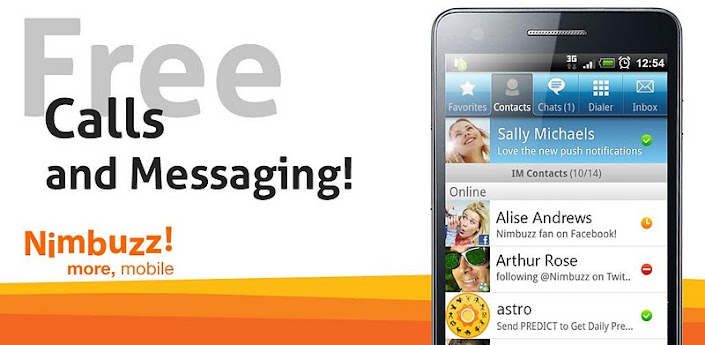
Nimbuzz Messenger lets you chat with your buddies on Facebook, Gtalk Messenger, Yahoo Messenger, Live Messenger (MSN) 24x7 for free.
Connect your address book and share unlimited photos, files, music and videos with other friends of yours on Facebook, Yahoo Messenger, Gtalk Messenger and Live Messenger . You can also connect with your friends on Twitter using our popular chat buddy.
Nimbuzz Messenger is super-popular and our 90+ million registered users across platforms prove that. Nimbuzz Messenger is available for every smartphone and feature phone, so go ahead and tell your friends to download Nimbuzz Messenger.
Below is the list of Nimbuzz Messenger’s amazing features that take your mobile IM experience to the next level:
• FREE HD VOICE CALLS – HD quality voice calls for free with all your Nimbuzz Messenger contacts
• FREE MESSAGING - Replace SMS with unlimited free chat
• IM COMMUNITY - Connect with multiple IM accounts and have them in one list (Facebook, Yahoo Messenger, Messenger, Gtalk)
• FREE PUSH NOTIFICATIONS: Appear always online and be available to chat with Push Notifications for incoming messages.
• OFFLINE MESSAGES: Even if you miss your push notifications or turn off your phone, Nimbuzz saves your messages offline until you retrieve them during the next application use
• CHEAP INTERNATIONAL CALLS – Buy Nimbuzz Out credits and make really cheap international calls to mobile and landline
• SIP VOIP ACCOUNTS – Connect to any of our existing SIP partners or to any other SIP provider and enjoy extremely low cost calls
• CHAT BUDDIES – Use our popular chat buddies for Twitter, Cricket, Astrology etc.
• AND MUCH MORE: Custom chat wallpaper, Landscape mode, Contact sorting, improved Presence Icons, precise message time stamps, Chat history, N-world, free Avatars and much more.
Your active feedback is greatly appreciated. For any questions, concerns, feedback or ideas, drop us an email at: support@nimbuzz.com
Visit Nimbuzz communities at:
http://facebook.com/nimbuzz
http://twitter.com/nimbuzz
For more info please visit:
http://www.nimbuzz.com
http://blog.nimbuzz.com
Requirements: Android 1.6 or higher
Overview: Nimbuzz Messenger is a free chat & calling app to connect with your buddies 24x7
Nimbuzz Messenger combines the power of internet and smart phone messenger into one, and lets you make free voice calls, send unlimited chat messages, share files on any mobile device across popular messengers. Nimbuzz Messenger is available on Android, iOS, Blackberry, Symbian, Java, PC and Mac.
Imgy: unlimited capacity home screen for your apps, contacts and bookmarks.
*Special Introductory Price! Imgy Unlocker turns Imgy into a full version with icons autoresize feature unlocked, which will change the size and transparency of the icons on your home screen based on their click frequency.*
Imgy widgets help you to place any number of apps, contacts and bookmarks on your home screen and visualize their importance. Forget about folders and scrolling - with Imgy all your content is at your fingertips.
Imgy main features:
• You can add any number of apps, bookmarks and contacts to your home screen and their icons will be resized accordingly.
• Apps, bookmarks and contacts icons will grow or shrink based on click frequency, allowing important items to stand out and unimportant items to fade.
Widgets come in multiple sizes, so you can arrange them freely on your smartphone or tablet screen, creating attractive layouts.
Imgy offers a unique user experience: you can
• Instantly access your content without scrolling or browsing folders;
• Obtain insights about usage patterns by locating infrequently used content such as unused apps or inactive contacts as well as favorite items; and
• Save space – you can have any number of items on your home screen.
Imgy is very friendly to your system:
• It consumes minimum system resources;
• It does not affect battery life;
• It needs only basic permissions; and
• It supports custom launchers (GO Launcher, ADW Launcher, Apex Launcher, Nova Launcher, SPB Shell and others) and themes.
Imgy also supports portrait and landscape orientation.
Download it now and try it out!
Requirements: Android 2.2+
Overview: Imgy widgets help you to place any number of apps, contacts and bookmarks on your home screen and visualize their importance. Forget about folders and scrolling - with Imgy all your content is at your fingertips.
Installation guide:
1. Push the .apk to system/app
1.1 Fix permissions (rw-r--r--)
2. Reboot your device
2.1 Maybe you have to wipe dalvik cache so the phone recognize the apps
DO NOT INSTALL THE APPS! JUST PUSH!
If you have problems with the time, search your city manual.
credits go to
hei1125
storm
Have fun!
New MDPI :
here mdpi version of lg ui 3.0 launcher,taken from LG Optimus L5.
Version (v3.0.034),
Launcher (MDPI) Widget MDPI/HDPI.
Install as System app if not widgets Will crash
[SIZE="3"]Hello guys
I want to provide you the new LG launcher, weather widget and note app.
Launcher and widget are only for HDPI or XHDPI devices!
NOTE: This paid version of Word Lens INCLUDES ONE LANGUAGE pack. Additional language packs can be purchased within the app.
Available language pairs:
+ English ⇆ Spanish
+ English ⇆ French
+ English ⇆ Italian
Word Lens gives you translation on the go:
- NO NETWORK required - results appear immediately on your video screen when you need it, anywhere in the world.
- Easy to use, like the regular camera
- Look up translations by typing them in, or clicking on a word.
Notes for getting the best quality out of your translations:
- Best used on clearly printed text (e.g. signs, menus)
- DOES NOT recognize handwriting or stylized fonts
- It's not perfect, but you can get the general meaning!
- Keep text in focus by holding it at least one hand-length away and tap-to-focus if autofocus is struggling.
- Turn on the flashlight (if available on your device)
- Zoom in (if available on your device)
Some features are device dependent. Not all device cameras can zoom, nor do all devices have a flashlight.
Having trouble? We want to hear from you! Email us at:
help@questvisual.com
Permissions Usage:
Hardware Controls: Take Pictures and Videos: Used to access the camera so we can translate what it sees.
Network Communication: Market Billing Service: Used to purchase language packs.
Network Communication: Full Internet Access: OPT-IN ONLY: Used only if you opt-in to submit errors and anonymous usage statistics to Quest Visual to help improve the product.
Network Communication: View Network State: OPT-IN ONLY: Used only if you opt-in to submit errors. Data is only reported if you opt-in and you are online and you are not roaming.
What's in this version:
Now available on Android!
Now offering English ⇄ Italian language pack.
Requirements:
Overview: See the world in your language!
See the world in your language -- instantly translate printed words from one language to another with your built-in video camera, in real time!
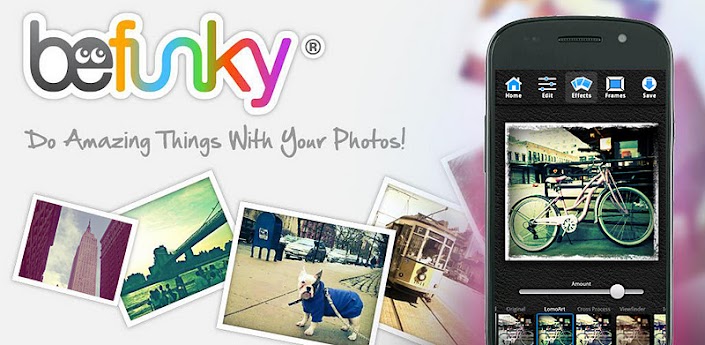
There’s no registration required to use BeFunky, there are NO ADS, no watermarks, no limitations, and no forcing to share. BeFunky was made with you in mind, so it's exactly the way you want it to be.
?WHY YOU’LL LOVE IT?
-It has tons of high quality effects that aren’t offered anywhere else
-Easily make minor adjustments or completely transform your picture
-You always remain in control when making edits
-It couldn’t be easier to use
-It’s free!
?AMAZING EFFECTS?
Retro, Grunge, Viewfinder, Toy Camera, Sketch, Tilt Shift, Instant, Cross Process, Cyanotype, Gritty HDR, Pinhole, Vintage, Orton, Pop Art, Duotone and many more.
?POWERFUL EDITING TOOLS?
Crop, Rotate, Sharpen, and adjust Exposure, Hue, Saturation, etc.
?MARVELOUS PHOTO FRAMES?
Choose from Polaroid, Filmstrip, Halftone, Grunge, Postage, Classic Frames, and many more
?SHARE PHOTOS INSTANTLY?
Save to your phone, Facebook Albums, Twitter, Flickr, Tumblr, or BeFunky's Gallery.
Requirements: Android 2.2 or higher
Overview: Edit photos, apply effects, add frames, save back to your phone
One of the most popular photo editors just got better: there are now even more photo effects that you can’t find anywhere else. BeFunky is the app that leaves all creative control with YOU while keeping everything crazy easy to use...and it’s FREE!
Keep up with your favorite YouTube channels and access the world’s videos anywhere with the official YouTube app for Android.
I saw some threads floating around about youtube 720p playback, and I really always wanted that too for a long time.
But I was stupid enough not to even try it.
I did try now and, yep, I got it working!
How I installed it:
• Removed /system/app/YouTube.apk (you need a rooted device for this step! If your device is not rooted, try ignoring this step, but installation may not possible.)
• If YouTube is still there, just go into its app info tab and tap "Remove installed updates" or something, then "Force stop".
• Install my APK!
• Of course, your device must be capable of 720p video decoding!
Requirements: Android 3.2+ (HC/ICS/JB)
Overview: The latest version of the official YouTube app.