inKa File Manager is a File Manager for Google Android. inKa is able to copy, move, rename, delete, open as well as archive your files. So maintaining your files becomes easy without the need of a computer.
Features:
- NO ADVERTISEMENTS
- Navigate the file system
- Bookmarks
- Search
- Delete, rename, send and open files
- Cut, copy and paste
- Create and extract ZIP archives
- Thumbnails for images
- Listview and gridview
- Rescan media library
If you would like the application in your own language and you can help translating, please contact me. I am looking especially for people who can translate to German, Italian, French, Spanish and Portuguese. Arab or Hebrew is welcome too.
What's in this version:
- Updated light theme
- Added Taiwanese translation
- Ability to send multiple files
- Detect ePub mime type
- Bug fixes
Requirements: Android 2.1 and up
Overview: inKa File Manager is a File Manager for Google Android.
Enable you to freely personalize various widgets to a full range. Let’s say goodbye to the traditional operation system.
Features:
========================
Enable you to do multipul-operation, including auto-arragement, multipul-choices, add-to-folder, multipul-deleting, to the items by only one move of the finger. You can also check your folders in various ways.
TSF SHELL 3D has one app page and 4 personalized pages for our users. You can switch between pages by one click at the switch button in the lower left corner.
You can freely create one or more quicklinks for apps and drag them to any page. You can also distribute all the app icon (or even change their angles) freely in the personalized page.
The side column provides the most TSF Shell 3D charateristic widgets, including folders, contacts, music player, weather and so on.
The side column can be personalized as well, including changing the order and position of different catagories. You can create quicklinks of your most frequently used apps and contact in the quick launch in the side column.
TSF Shell 3D has a most powerful theme function. Apart from the difference in style, some themes even allow change in the transition animation.
Tips:
========================
1. The folder where the application is less than 7, only to circle the icon into the folder.
2. The folder where the application is more than 7, only to drag the icon ftom the folder.
========================
Currently we are still trying to improve our TSF Shell 3D. We will update our product and new widgets regularly. Please check for updates so that you can the best experience.
We also welcome any comments or suggestions for improvement of our product.
IMPORTANT
========================
Please rate the app if you like it. If you have any questions or comments, please email us at: tsfui.service@gmail.com
Keywords & Tags: TSF Shell,TSF 3D Screen,TSF 3D launcher
What's in this version:
V1.5.0.09 Beta
1.New App Drawer Menu(Hide app/Drawer settings)
2.New TSF Shell Settings
3.Optimize scrollable widget
4.Support Jelly Bean(Android 4.1)
V1.5.0 Beta
1.New unique TSF 3D gallery widget.
2.Unique Dock Bar.
3.Live wallpaper support.
4.Customized icons arrangement.
5.Widgets re-sizing.
6.Icons editing.
7.Icon Designer V0.3
Note:
Credits to ChelpuS
Requirements: Android version 2.2 and higher, Rooted
Overview: TSF Shell 3D is an interface with brand new operating system.
This is not just another text reader.
Our text reader has several unique features:
- in Reader mode flashes words or phrases one by one sequentially on the screen, with regulated speed.
- in 3D Stereo mode you can read with 3D effect on any device, without glasses.
- in overview mode you can scroll or flip pages in the same time.
- support pinch, spread and rotate gestures to change text size or screen orientation any time you need.
These features allows to turn reading into a useful and fascinating process, and reduce eye strain.
AutoReader allows to read much larger text, what's important not only for people with impaired vision.
But also, for example, in transport, on the go, on the running machine, etc. when focusing on a small text tiring for the eyes or impossible.
Moreover, 3D Stereo mode can even be beneficial for the eyes, if done right, the visual axis
are parallel (as when looking at the horizon), which relaxes the external eye muscles, and the focus is on the stereo pair,
that helps to synchronize the focus of both eyes, which is also useful, as it's often one eye focuses better than the other (we can be unaware of it, but simply feel tired).
Learn how to view stereograms: http://www.wikihow.com/View-Stereograms
Read for the benefit of your eyes! But that's not all, AutoReader allows you to read faster than usual.
AutoReader increases the speed of reading and helps get rid of subvocalization, one of the main factors slowing down the reading process. Subvocalization - it is hidden, unconscious movement of the lips, tongue and other organs of speech.
The habit to pronounce the words formed in the childhood, when learning to read, and does not disappear completely, without any special training.
Try to gradually increase the speed of displaying words (slide your finger up the screen), with the growth of speed the vocal apparatus is no longer keep up with the volume of information and no longer involved in the processing - information from the visual analyzer will be immediately sent to the meaning.
The feel is cool, as if you just catch the author's idea, not a speech.
You realize that you can read much faster and without much effort.
List of features:
- Built-in file browser.
- Supported formats. Txt, Txt.zip, Fb2, Fb2.zip, Epub, (PDF, DOC and others are comming soon).
- Automatic detection of encoding.
- Smooth scrolling text (finger up / down).
- Flipping through the pages (finger left / right).
- Go to a random page number.
- Change the text size "on the fly" (zoom with two fingers).
- Rotate the screen at any time in any mode (tap the screen with two fingers and rotate it 90 degrees).
- Double click to go to another mode (from Overview mode to Reader, from mono to 3D Stereo mode and vice versa).
- Infinitely variable speed of text Reader (finger up / down the screen).
- View and move to the previous or next sentence in the Reader mode (finger left / right on the screen).
- Settings for the font, text color and background color.
- Select from over 20 background images for the Reader.
- Built-in help for gestures and 3D Stereo mode.
- Quick feedback to developers (us).
If you'll get an error, please don't leave bad comment right away. Leave us a chance to fix it, send the error report (you'll see that option) and your comments. We are trying hard to make it work on every device.
Please send your suggestions here: support@webstunning.com
Similar applications:
FBReader, Cool Reader, Moon Reader, Aldiko, Moon+ Reader,
Kindle, Kobo eBooks, GO Book
Tags:
text reader, fb reader, book reader, ebook reader, best reader app, ibook, amazon kindle, aldiko book reader, google books
Recent changes:
v 1.4.0 - fixed EPUB parsing, added French language
v 1.3.3 - first word shown on pause was corrected
v 1.3.2 - starting speed can be set up to 800 w/min.
v 1.3.1 - tablets orientation issue fix
v 1.3.0 - added options button for Android 4 users,
added pause function for reader mode
v 1.2.1 - improved support of Android 4 and tablets
v 1.2.0 - Stereo span setting added to reduce the span between words in 3D Stereo mode.
Less description »
Latest version: 1.4.0 (for Android version 2.1 and higher)
Requirements: Android 2.2+
Overview: Turn reading into a useful and fascinating process, that reduces eye strain.
This is not just another text reader.
AutoGuard Blackbox
Android Car Blackbox(Recorder) application.
AutoGuard records various lengths of video, acceleration, latitude, altitude, and speed.
The video recorded can be limited to save space on your phone. After the space is filled it will automatically delete the oldest videos, unless marked to be saved.
AutoGuard Pro can be set to automatically start when placed in a car dock and run in the background.
You can adjust video resolution, bitrates, the sensitivity of the accelerator, and GPS update time.
Key Features
- (Pro) Background recording: Multitasking with other apps (like navigation, Some devices do not support this)
- Show the video and map information on one screen.
- Supports high bit-rate
- Automatically starts video recording when put into car dock
- Records driving video, speed, GPS, and nearest address
- Supports high resolution (1080p)
- Traces path driven on Google maps.
- Snapshot (supports auto focus, flash & 3D gallery)
- Send recorded information via E-mail
Requirements: 2.1
Overview: AutoGuard Blackbox
Android Car Blackbox(Recorder) application.
Love watching movies and TV shows? You'll love using Mizuu.
------------
JELLY BEAN (ANDROID 4.1) USERS: Please send me an e-mail to get a working copy. I can't update the version on Google Play just yet.
------------
Contact me if you experience any issues - it's IMPOSSIBLE for me to get back to you in reviews!
---------------
Mizuu is your #1 app for managing your favourite movies and TV shows. Details will be downloaded automatically - including titles, plots and covers. Mizuu is NOT a video player, but let's you play videos using other installed video players.
All the movie and TV show information is kept in a local database on your device. This is perfect for travelling because you don't need access to the Internet. You can have your entire entertainment collection with you everywhere. Mizuu is basically like Boxee or XBMC on your Android device.
It's simply entertainment at your fingertips. The easy-to-use and immersive graphical interface will let you browse, select and play your movies and TV shows with almost no effort.
Mizuu also supports video content from the web. Currently YouTube, Justin.tv, Reddit Videos and TED Talks are supported.
More details, blog posts and FAQ can be found at http://mizuu.tv.
------------
Mizuu was previously known as Mizuu Movies.
What's in this version:
- Version 1.7.9: Massive amount of changes in this release - see all the details at www.mizuu.tv! Please let me know if you experience any bugs or issues!
- Version 1.7.9.1: fixes a rare bug with backdrop images and improves identification of files with French names.
- Version 1.7.9.2: Stability update for users with large libraries.
- Version 1.7.9.3: Fixes two issues with TV shows. More details available on www.mizuu.tv.
Requirements: Android v3.0+
Overview: Mizuu is your #1 app for managing your favourite movies and TV shows. Details will be downloaded automatically - including titles, plots and covers. Mizuu is NOT a video player, but let's you play videos using other installed video players.
**** Features:
1. Shortcut Customization
2. More Theme Customization(like position,alpha,skin,show/hide somethings)
3. Activate phone, SMS ,Camera and other shortcuts directly from lock screen;
4. Screen Lock Security
5. Support customise wallpaper and live wallpaper.
6. Support customise date format
7. Support system security pattern (settings->Location and security->Set up screen lock. For HTC: Settings-> Security->Set up screen lock)
8. Block Home Key
9. Support to enable/disable volume rocker wake up screen
10. Support to send Email, mak phone call, open URL ect. directly on lockscreen.
11.Support to pull down notification bar What's in this version:
1.5.0
1. Music control supports now! (We are updating most of themes to support it. And in most music themes, you can double click everywhere to show or hide Music Control)
2. Theme Control System.
3. Fixed some FC and ANR issues.
About the music control, if you encounter any compatible issue (for example, fail to control or show the music information) please contact us and provide the information about your phone model, the music player etc. It will be helpful to us to resolve the issue.
Requirements: Android 2.2 +
Overview: Customizable. Colorful. Simple.
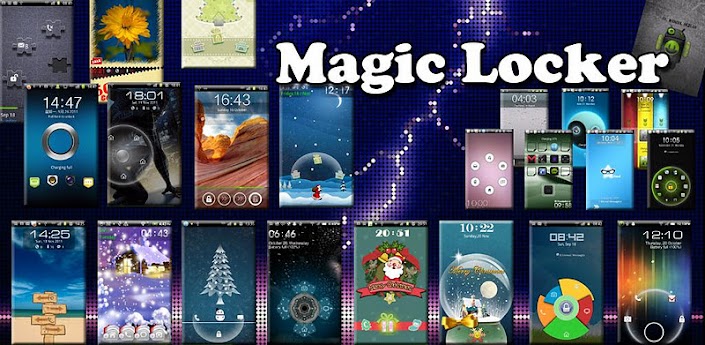
Magic Locker is most colorful and simple lock screen app for Android! Various of lock screen Themes to match your style and make your mobile outstanding!
FEATURES
* Custom Remotes
* WiFi (TCP/UDP)
* Bluetooth
* Easy server and app setup
* Comprehensive server manager
* Automatic server detection
* Clear connection troubleshooting
* Custom/Android keyboard support
* Single/Multi touch mouse
* Hardware volume control
* Quick Switch using swipe gestures
* Quickly change servers
* Auto-pause media for phone calls
* Homescreen shortcuts to remotes
* Wake On Lan
* Server password protection
* 256-bit AES encryption
REMOTES IN FREE AND FULL VERSION
* Basic Input
* File Manager
* Keyboard
* Media
* Power
* Slide Show
* Spotify
* Start
* Task Manager
* Windows Media Center
* Windows Media Player
* VLC (Keyboard)
* YouTube
REMOTES IN FULL VERSION ONLY
* Custom Remotes
* Boxee (Keyboard)
* Boxee (Web)
* Chrome
* Firefox
* foobar2000
* Hulu Desktop
* Hulu Web
* Internet Explorer
* iTunes
* J River Media Center
* Monitor
* Media Portal
* MediaMonkey
* MPC HC
* Opera
* Pandora
* Picasa
* PowerPoint Advanced
* PowerPoint Basic
* Winamp
* Windows Photo Viewer
* VLC (Web)
* XBMC (Keyboard)
* XBMC (Web)
* XBMC Media
What's in this version:
v2.4.4:
* Fixed mouse right-click.
* Fixed scroll right-click.
Requirements: for all Android versions, supports App2SD
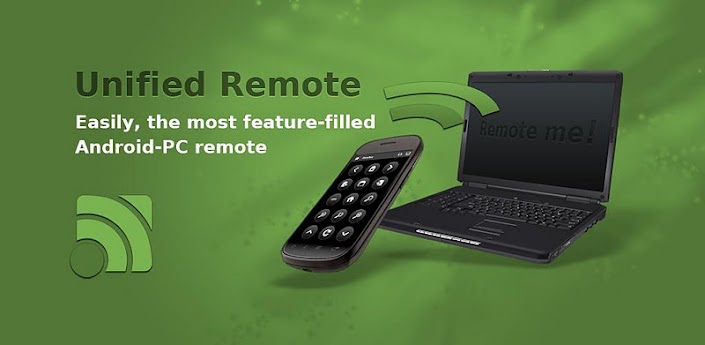
Overview: Easily the most feature-filled Android-PC remote. Turns your Android device into a WiFi or Bluetooth remote control for your Windows PC. Control your favorite programs, mouse, and keyboard.
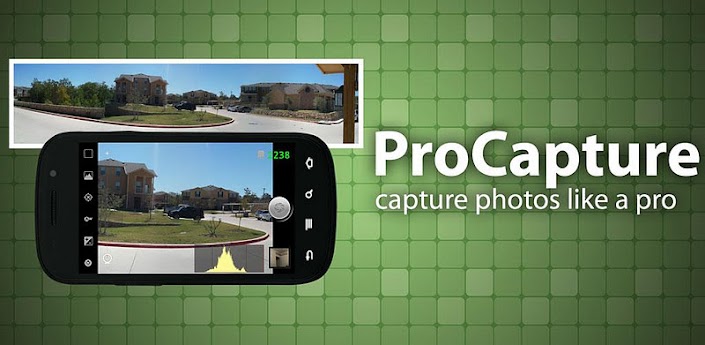
ProCapture adds advanced features to the Android camera experience. Multiple advanced shooting modes supported: Timer, Burst, Reduced Noise, WideShot and Panorama.
Free version "ProCapture Free" available with max resolution capped to 3.2 Mega-Pixels. TRY IT FIRST!
Please note that this app is not for video capture.
- Panorama mode automatically links together up to 12 photos to produce a high resolution panoramic image providing the ability to zoom in on small details. Output panorama has the highest resolution and best quality among competitors (depends on phone memory).
- WideShot mode automatically links together 3 photos to produce a high resolution wide image.
- Reduced Noise mode captures 2 photos and combines them in order to reduce noise in the photo by about 30%.
- Shoot better photos with 2 different on-screen composition aids: grid and Fibonacci spiral.
- Real-time on-screen histogram helps you get better exposed photos.
- Simple UI with easy access to all features.
- On-screen remaining photos indicator.
- Ability to configure volume buttons for zoom or photo capture.
- Save to internal or external storage (please email us if external storage is not supported on your phone).
What's in this version:
Mute function now mutes focus sound as well
Fixed Wide Shot/Panorama stuck at 29%
Wide Shot/Panorama orientation button now shows current state
Added 3.6MP (2560x1440) wide resolution for supported devices
Requirements: Android 2.2 and up
Overview: Capture photos like a pro with ProCapture.