TuneIn is a new way to listen to the world through live local and global radio from wherever you are. Whether you want music, sports, news or current events, TuneIn offers over 50,000 stations and 1.2 million on-demand programs for you to choose from. The TuneIn Radio Pro app for Android puts this entire experience in the palm of your hand with the added benefit of recording what you’re listening to (requires memory card).
Important Update: This new version of TuneIn (5.3) includes Car Mode, which lets you listen to your favorite music, sports and news simply by speaking a command into your Android phone or tablet. This update also includes extra large buttons for easy viewing and control.
What's in this version:
Rich notifications for Jellybean devices, [As shown in Google IO Keynote]
Fixed issue with recordings & widget.
Fixed streaming performance over wi-fi
Requirements: Android 1.6+
Overview: Browse and listen to radio -- live, local and global.
Listen to the world.
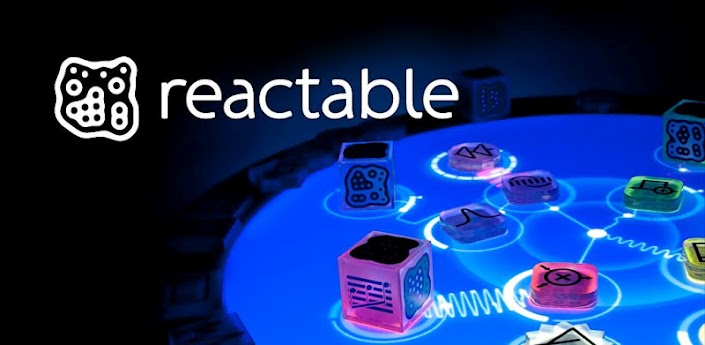
Create and improvise music in an intuitive and visual way. This app brings the full creative power of the internationally awarded interactive Reactable instrument used by renowned musicians like Björk to your mobile device.
All Reactable mobile users get access to exclusive content. Download and remix original tables by Oliver Huntemann, Nortec Collective Bostich+Fussible, Amo+Navas, Gui Boratto and many more.
S P E C I A L M E N T I O N S
• Top 10 Music App Worldwide by App Store
• New And Noteworthy by Apple
• Featured in Best Music Apps by iTunes Rewind
• App of the week and Hall of fame APP
• 2nd and 3rd Best Music App Ever by Best App Ever
• Interactive category nomination by BI Designs of the Year
*Reactable Mobile* enables you not only to create your own sound tables but also to act as producer by remixing tables of fellow Reactable musicians, adding your personal touch and share it again in a seamless way.
Based on the very same audio and graphics engine as the Reactable, the mobile version brings a complete range of objects to multi-touch devices:
• Generate sound with a set of generator objects including are loop players, synthesizers, oscillators and input object.
• Modify generated sounds with a set of effect objects including wave shapers, delays, modulators and filters.
• Modify other objects parameters with a set of controller objects including sequencers, LFOs and accelerometer.
• Modify the settings of the entire table with a set of global objects including tempo, volume and tonalizer.
The new version gives you mobile access to the brand new *Reactable Community* where you’ll be able to listen and remix tracks created by your friends and musicians, to watch videos of their performances, to comment and to share your favorites.
“Reactable for the iOS is awesome! If you are into synthesis it’s a must have app. I’ve been jamming all night!” — Jordan Rudess
“[…] a quality product for people serious with their music making.” — Chris O’Shea
Note: as this application uses both graphic and audio resources extensively, recent devices will provide the best user experience.
What's in this version:
Win a Reactable Live!
Register for the Reactable Challenge at www.reactable.com/community/challenge
New features include:
• Generate, save and View Performances
• Direct access to Reactable Community
• Like and share your tables directly from the App
• Direct table upload
• Share your recordings on Soundcloud
• Table Meta data
• Brand new menus
• More bug fixes and user interface improvements
Requirements: Android v2.1 and up
Overview: Improvise and create music playfully with the Reactable mobile. Based on the award winning Reactable as used by famous musicians like Björk, Gui Boratto and Oliver Huntemann, this application brings the full creative power of the famous interactive instrument onto your mobile device.
**Unsupported devices:**
1. Motorola devices with stock ROM
This tools allows you to switch off and lock screen by 1 click with screen off ANIMATION and SOUND effects.
THIS IS NOT A WIDGET! You can place the shortcut in anywhere and customize the app icon and its label! (i.e. using ADW Launcher or LauncherPro)
You can click the shortcut in notification bar, put it into your dock of your launcher or long pressing the search key to switch off the screen and lock your device!
This donate version will EXIT COMPLETELY and FREE UP all the used memory after the screen is turned off or locked.
OTHER RESOURCES:
Gingerbread icon (Main): http://goo.gl/sCzeC
Gingerbread icon (Setting): http://goo.gl/GSAU3
TV static sound: http://goo.gl/6wcJO
NOTES:
1. Before you can uninstall the app, please go to the setting page and click the "Remove device administrator" button.
2. Putting the shortcut in notification does not equal to the app that is running in the background. It is just a shortcut pointing to the app directly.
3. For those who cannot see the screen off animation even the app is reinstalled, please make sure you selected the option "All animations" under "Settings > Display > Animation" in the system.
4. If you would like to translate the app into other languages, please contact me by email. Thank you!
What's in this version:
Added vibration strength option
Fixed an issue which screen off sound will be repeated in certain condition.
Better support for Galaxy Nexus 4.0.4 (Stock ROM, not guaranteed on other 4.0.4 ROMs and devices)
More Info:
Requirements: Android 2.2 and up
Overview: One click to turn off screen and lock device without touching power button
☆Needs ROOT, Android 1.5-4.1+ (ARM,x86,MIPS)
☆Over 5.5 million users, 28+ languages.
☆PRO Key is available on Play Store!
☆Voted #1 TOP ROOT APP on Twitter.
☆Problem? See titaniumtrack.com/kb
☆Scroll down for more info & VIDEOS ;-)
☆ ☆ ☆
Titanium Backup is the most powerful backup tool on Android, and then some.
You can backup, restore, freeze (with Pro) your apps + data + Market links. This includes all protected apps & system apps, plus external data on your SD card. You can do 0-click batch & scheduled backups. Backups will operate without closing any apps (with Pro). You can move any app (or app data) to/from the SD card. You can browse any app's data and even query the Market to see detailed information about the app.
Also see the paid PRO key which adds EVEN MORE awesome features such as:
[✔] 0-click batch restores
[✔] Keep multiple backups per app
[✔] Multi-user app data
[✔] Apps freezer
[✔] Sync to/from Dropbox (manual/scheduled)
[✔] Sync to/from Box (manual/scheduled)
[✔] Sync to/from Google Drive (manual/scheduled)
[✔] Convert user apps <=> system apps
[✔] Integrate system app updates into ROM
[✔] Encryption
[✔] Market Doctor (relink apps to Market)
[✔] "Destroy all Market links" feature
[✔] Hypershell speed
[✔] Backup apps without closing them!
[✔] Restore individual apps+data from CWM backups!
[✔] Restore individual apps+data from TWRP backups!
[✔] Market "auto updating" manager
[✔] Dalvik cache cleaner
[✔] Integrate Dalvik cache system elements into ROM
[✔] Unlimited schedules
[✔] Load/Save a Filter and use it in Widgets/Schedules
[✔] Protect backup against deletion
[✔] Send backup (to e-mail/cloud) and import it in 1 click
[✔] Backup→Verify→Un-install an app in one shot
[✔] Freeze/defrost/launch apps in a single click
[✔] CSV export any app DB (e-mail or Google Docs)
[✔] Convert app data to/from fast WAL format
[✔] WAY MORE!
What's in this version:
Added full support for Android 4.1 “Jelly Bean”.
[PRO] Added the ability to backup the system browser bookmarks, call log or SMS/MMS to a standard XML file that can either be sent or saved locally. XML files contain your data in clear text, and can be restored on any device/ROM. Hit MENU to access this new feature.
[PRO] Added the ability to save exported “.TiBkp” and CSV files locally.
Added necessary permissions to access the system browser bookmarks, call log and SMS/MMS.
Improved backup speed when making new backups of the same app versions (eg: scheduled backups).
Improved GUI Preferences to also display the default system language.
Improved .TiBkp & CSV file export to include the date/time in the default filename.
Fixed graphical glitches in “App storage overview” screen on Android 3.0+.
Fixed “.TiBkp” file import to display proper error messages if no file picker app exists, or when trying to import an incompatible file.
Fixed bug with system app update integration on ICS, which caused some apps (eg: Google Earth) to stop working afterwards.
Fixed bug when sending a backup: the app name/version mentioned in the e-mail could be incorrect.
Several bugfixes & tweaks.
Updated translations.
Instructions:
1. Install the latest version of Titanium Backup into Internal Memory (Don't run)
2. Install LuckyPatcher (Run, custom patch!)
3. Enjoy
Or
New metod for Titanium Backup:
1. Install Titanium Backup PRO Key
2. Install Titanium Backup Free;
3. Patch Titanium Backup Free with "AutoTrue!" .
Requirements: ANDROID 1.0 and up
Overview: EXTREMELY powerful tool. Backup ALL apps, Market links, remove bloatware & MORE!
Product Features
Offers soothing sounds that can help you sleep
Includes music with low-speed alpha waves
Provides an ambient sound mixer
Comes with a variety of musical themes
Includes elaborate descriptions
Ambient Sound Mixer
There are plenty of natural noises to select from in Sound Sleep Deluxe Edition, such as ocean waves, gentle rain, and other pleasant ambient sounds. The Deluxe Edition of Sound Sleep (Music Therapy) features a sound mixer that allows you to customize each track. You can include one or several ambient noises, and adjust the volume of each for the perfect mix.
Creative and Enriching Sounds
The tracks offered in Sound Sleep Deluxe Edition are far from so-called leisure music. Rather, you'll experience relaxing natural sounds with embedded alpha waves, which are delicately set to a rhythm of a specific frequency. Certain sound effects also have the potential to awaken the subconscious to soothe you as well as spark your imagination and creativity.
How It Works
The low-speed alpha waves in Sound Sleep Deluxe Edition have a frequency of 8 Hz to 9 Hz, which stimulates a brain state that is close to sleep. To generate such a frequency in the listener's brain, binaural beats are applied. For example, if the left ear is presented with a steady tone of 500 Hz and the right ear with a steady tone of 508Hz, the difference, 8 Hz, is perceived by the brain and is a very effective stimulus for brainwave entrainment.
You will also enjoy the app's elegant interface, varied music themes, and options to specify listening time and set an alarm. Let the sounds in Sound Sleep Deluxe Edition help you to feel more relaxed and sleep more soundly.
What's in this version:
- Multi-resolution support;
- The issue "Music cannot be stopped" has been fixed;
- Play Mode and Mixer Sound Volume settings are remembered;
- Other minor improvements
Requirements: Android 2.1 and up
Overview: Sound Sleep Deluxe Edition (Music Therapy) is an Android music app that is designed to help you unwind and relax, so you can sleep more soundly. With low-speed alpha waves, the sounds will comfort your mind and help you to naturally and smoothly fall asleep. The app is easy to use, so you can simply let the soothing sounds carry you off into a deep and restorative slumber.
* Flash your recovery to the latest and greatest ClockworkMod recovery.
* Manage your ROMs via a handy UI.
* Organize and perform backups and restores from within Android!
* Install ROMs from your SD card.
* Install your favorite ROMs over the air!
Premium Version:
* Premium ROMs
* Receive notifications for when your ROM is updated!
* Automatic backups
* Install from QR Code
* Web Connect
* Support
What's in this version:
5.0.0.8 Fix issue with ROM Manager not properly working on Jelly Bean.
5.0.0.7 Fix minor google in app purchase bugs.
5.0.0.7 Fix notification area theme on Android 4.0.
5.0.0.7 Fix bug on Galaxy Nexus where nothing can be downloaded/flashed.
5.0.0.4 Fix bug on Rezound and other HTC phones where external sd couldn't be detected.
5.0.0.3 Fixed billing errors.
5.0.0.2 Added notifications for touch recovery updates.
If your ROM came with ROM Manager you'll have to remove it before installing this.
Requirements: Android 1.0 and up
Overview: Must have app for any root user. Make backups, flash ROMs, and own your device.
ROM Manager is THE MUST HAVE APP for any Android root user. (Over 3 million downloads and counting!)
Uses the proximity sensor on your phone to allow control of your music playback by waving your hand over your phone. No need to turn on your screen or even touch your phone at all!
As seen on:
*Lifehacker* http://lifehacker.com/5903676/wave-c...ver-the-screen
*Huffington Post* http://www.huffingtonpost.com/2012/0...n_1440305.html
*Pro Version*
-No Ads
-More Commands
-Assign Which Gesture Does Which Command
Coming Soon:
More Features - feel free to email any requests you have
Update the UI
Easy to use, just wave your hand over the sensor (usually located just next to the earpiece on your phone).
Holding it there will Pause/Resume
One wave across will go to the Next Song
Two waves across will go to the Previous Song
Three times (needs to be fast) will Pause or Resume the controls
*Be sure to enable Headset Button Control in your player of choice
Some Notes:
There is a little less than a second to register your waves.
Tip for the hover gesture: if you move your hand away too quickly it'll register a wave
After an action, there is a 1 second delay before another gesture will be registered
Will work with any player that accepts headset (media button) controls
If the screen is off or another app is in focus, phone vibrates once on pause control and twice on resume controls
Practice your wave techniques by checking the "Last Action"
If you're getting another player responding to the commands, check if that app has the option to disable headset button controls
**IMPORTANT**
I have read that the sensor will behave differently on different phones. I don't have the resources to have a bunch of phones around to test on. If there is a problem with the app, please email me at marksthinktank@gmail.com and give me a chance to figure it out before leaving a bad review!
And… there is a chance this app may not be compatible with your phone.. sorry. I'll do my best to keep the compatibility list up to date so future users won't run into issues.
Permissions Needed:
Wake Lock: So it will work when the screen is off
Read Phone State: So it won't do anything when you're on a call
Vibrate To use when screen if off or app not in focus
What's in this version:
V2.11: Small Bug Fix
More Info:
Requirements: Android 2.2 and up
Overview: Control Your Music With a Wave of Your Hand!
**No more workout notebook! No more paper and pen! No more stopwatch!
**Try out the JEFIT Workout App, the most premiere way to track your workouts, routines, body statistics, and progress all in one program!
This is the Pro ads-free version of JEFIT, it includes all the functions from JEFIT plus some extra features for paying users:
* Ads-free
* Redesigned UI for Pro version
* Progress bars with goals for all exercises.
* Ability to set goals for all exercises.
* Progress bars + target bars for body stats
* Charts for all exercises
-1RM Progress Chart for all exercise.
-Volume Progress Chart for all exercise.
* Advanced logs viewing mode.
* Extra logs mode for individual exercise.
* Landscape mode fully supported
* Better performance, load faster compare to Free version.
* Ability to Copy/Paste and Duplicate Routines and Exercises.
* Ability to record an Extra Set Without Modifying Sets Setup.
* Beat your records - shows you the weight & reps you need to do to set a new 1RM record.
* Ability to take Progress/Profile Photos with Phone’s Built In Camera and upload to server
* Progress Photo Album Creation on http://www.jefit.com
* Target Repetition Function for Exercises
* Search Functionality in Exercise Database
* Detailed Exercise Database
* Ability to pre-fill weight/reps from specific day of the week or exercise logs in global.
* Setting Default Sets, Repetitions and Rest Timer
* Addition of Quick Timer to Log Creation Page
* Ability to Perform an Instant Workout from Exercise Page
* Profile creation and editing on http://www.jefit.com
* Access to Free support for JEFIT issues and bugs
* Full access to the forums and postings on http://www.jefit.com/forums
* Free Downloading and Access to Thousands of User-Created Routines
** We update JEFIT Pro every month.
** This pro version includes all future updates. Get it today for Lifetime Free updates.
Some Key Features from JEFIT:
Workout Planner with hundreds of workout exercise.
Smart workout logs.
Synchronization with your progress from Android phone with PC on your Jefit.com Profile
Charts for tracking workout and body stats
Workout 1RM,BMI
Super-set workout
Bodybuilding/weight training/fitness App
* Most User Friendly UI (User Interface)
* Constant Updates.
* And many more other features waiting for your to explore.
Designed by serious bodybuilders and fitness enthusiasts. We know what a bodybuilder wants and needs when going to the gym.
Follow us on Twitter http://twitter.com/#!/jefittechnology
Like us on Facebook http://www.facebook.com/pages/Jefit/157889414221740
What's in this version:
1.) Fixed a bug where displays were not displayed correctly for certain exercise types when creating a new log.
2.) Fixed a bug where user could not continue their exercises on partially finished exercises.
3.) Fixed a bug where routines with 'supersets' were not logging correctly when the exercise started and ended with the same exercise.
4.) Other minor bug fixes.
Requirements: for all Android versions
Overview: Most downloaded bodybuilding, weight training and workout app.